 Tyche Bot

Learn to read trends with the PrimeTime rules, right on your chart.
Tyche Bot is built to teach you to see trends. She watches the TradingView or TopstepX tabs you switch on, and when the rules line up she draws a study example in pink, grades it and explains why, so next time you spot it yourself.
Approved testers only. Signing in sends us a request if you're new.
What she does
The rules find the setups. Tyche explains what they saw, like a teacher beside your chart. She never invents a setup the rules didn't find, and she won't tell you what to trade.
Reads your chart
Every closed bar of the chart you switch on, on any intraday timeframe up to an hour. No data feeds or API keys to pay for.
Marks each example
Each study example shows an illustrative entry, stop and target, drawn on the chart in pink and rounded to the instrument's tick.
Grades it
A, B or C by session window, regime, vote margin and reward to risk. Examples around news times you enter are held back.
Talks you through it
A and B examples are spoken aloud. C examples show quietly on screen so they don't interrupt you.
Answers questions
Ask Tyche about the chart you're watching. She answers from that chart, today's examples and the rule definitions, and sticks to it: no general questions and no advice on your trades. On YouTube, grab a frame from a trading video and ask about that chart.
Shows what happened
Every example is followed forward on the chart's own bars, so you can study how it played out. These are hypothetical results, not actual trading.
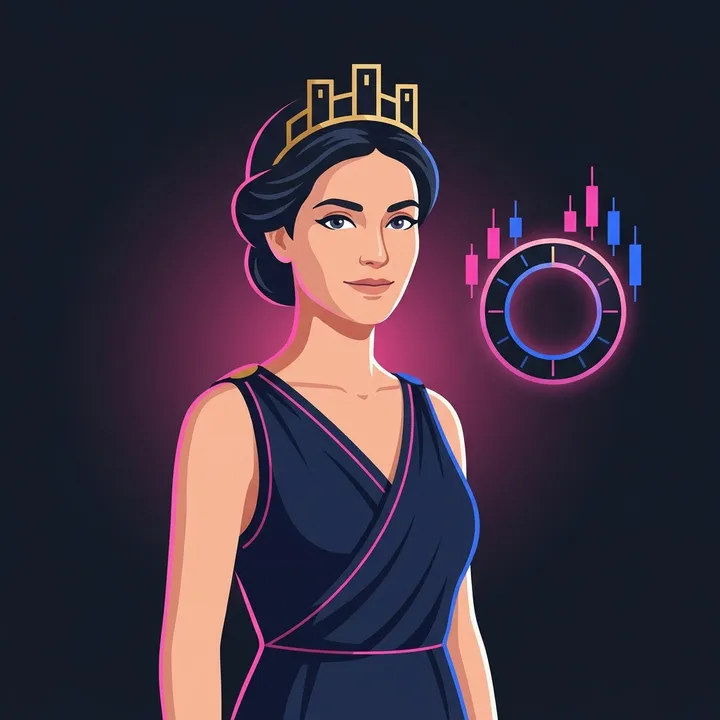
Meet Tyche
She's named for the Greek goddess of fortune, who wore a crown shaped like city walls and kept a wheel that turned luck up or down.
This Tyche doesn't promise fortune. She shows her work:
- what the rules saw and why the idea got its grade;
- where the example's illustrative entry, stop and target sit;
- how the example played out on the chart afterward.
The setups she watches
Ported from the PrimeTime Quant Engine dashboard, with its bugs fixed. You choose which ones are switched on.
Get Tyche Bot
It's a private beta, so it isn't in the Chrome Web Store yet. Install takes about two minutes once you're approved.
Sign in with Google
New here? That sends us your request. We approve every tester by hand.
Download
Once approved, sign in again on this page and download the zip. Unzip it into a folder you'll keep.
Load it in Chrome
Open
chrome://extensions, turn on Developer mode, click Load unpacked and pick the folder.Switch on a chart
Open a TradingView or TopstepX chart, click the Tyche icon, sign in and choose Watch this tab. On YouTube you get the chat bubble only, for questions about a video.
Read the full install and how-to guide
Step-by-step install guide
- Unzip the download. Windows: right-click the zip, then Extract All. Mac: double-click it. You get a folder with
manifest.json,iconsandsrcinside. - Put that folder somewhere it will stay, like Documents. Chrome runs Tyche straight from it, so if you delete or move it later, Tyche stops working.
- Open
chrome://extensionsin Chrome (or the three-dot menu, then Extensions, then Manage Extensions). - Turn on Developer mode with the switch in the top-right corner. Three buttons appear at the top left.
- Click Load unpacked and pick the folder that has
manifest.jsondirectly inside it. Not the zip, and not a folder above it. A Tyche Bot card appears. - Pin it. Click the puzzle-piece icon next to the address bar and pin Tyche Bot. A welcome page opens with the last steps.
- Sign in and watch a chart. Click the Tyche icon, sign in with Google, open a TradingView or TopstepX chart and press Watch this tab. Reload the tab once if nothing shows.
Updating
Tyche tells you when there's a new version. Download it from Tyche's Settings, copy its files over your existing folder, press the reload arrow on the Tyche Bot card in chrome://extensions, then reload your chart tabs.
If something's off
- “Manifest file is missing or unreadable”: you picked the wrong folder. Pick the one with manifest.json directly inside.
- Chrome asks you to disable developer-mode extensions: keep it. Chrome shows that for every extension installed this way.
- Tyche stopped working after a clean-up: the folder was moved or deleted. Unzip again and Load unpacked again.
Update
Grade colors for examples: A blue, B amber, C violet, each with its own shape and line style so color is never the only cue. Easier-to-read chart labels and small text, screen-reader labels, and bigger card buttons. Download errors now say why.
What's new
- Live trades panel. Press "Took it" and the trade is tracked bottom right: live points, R and dollars per contract, stop and target hits, and today's gains and losses beside the chat.
- Turn suggestions off. A switch in the Tyche menu hides the idea cards, pink boxes and alerts. Your own trades keep tracking.
- Talk to Tyche. Press the microphone in the chat and ask out loud. Or paste a screenshot of your chart.
- A teacher, not a tip sheet. Tyche explains the trend on your chart: the swing points, the levels, what would confirm or break the read, and what the rules would see if the bar closed now.
- Stays on topic. Tyche only talks about the chart you're watching and its own examples. No general questions, no financial advice, and no telling you what to do with a trade.
- YouTube. Chat with Tyche about a trading video and grab the frame you're looking at.
- Update alerts. Tyche checks for new versions and tells you when one is ready.
Already installed? Update in four steps
- Click the Tyche icon, open Settings and press Download the update. (Or sign in on this page and download it.)
- Unzip it and copy everything inside over your existing Tyche Bot folder, replacing all files.
- Open
chrome://extensionsand press the circular reload arrow on the Tyche Bot card. - Reload your chart tabs. You stay signed in, and your trades and history are kept.
The honest part
- These are indicator reads, not predictions.
- The rules haven't been backtested on intraday data. Any results Tyche shows are hypothetical, not actual trading.
- Without real volume, the volume profile is time at price. Without real buy and sell volume, there's no delta.
- Tyche is for educational use only. Nothing here is financial advice. Futures trading carries substantial risk of loss.

Ready when your chart is.
She only shows study examples from the strategies in her playbook, when one of them lines up on your chart. No tips, no hunches.